Think about how people find services today. A woman in Surulere needs a tailor. A man in Ikeja looks for a mechanic close by. Someone in Benin City wants a restaurant that delivers. Most start their search on Google or Maps. If your business does not appear, you miss those customers.
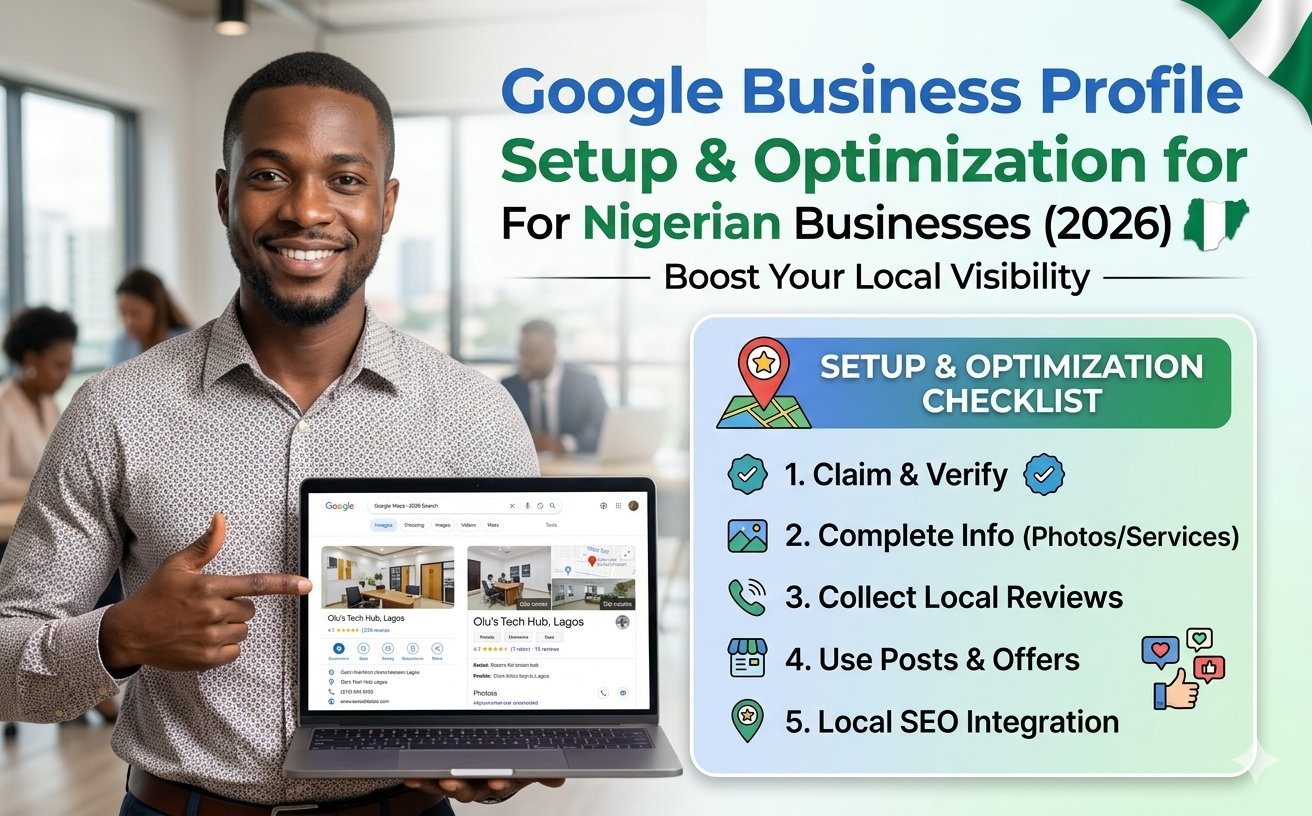
Many small business owners in Nigeria still wonder why customers drive past their shops without stopping or call competitors instead. A big part of the answer sits on Google. When people search for services in their area, your business either shows up ready to help or stays hidden. Google Business Profile makes the difference. It puts your shop, office, or service on Google Search and Maps for free. In 2026, this tool matters more than ever for businesses in Lagos, Abuja, Benin City, Port Harcourt, and everywhere else in the country.
This guide walks you through everything step by step. You will learn how to set it up properly, make it strong enough to attract real customers, and avoid the common mistakes that hold many Nigerian businesses back. No fancy talk. Just practical steps that work right now.
Think about how people find services today. A woman in Surulere needs a tailor. A man in Ikeja looks for a mechanic close by. Someone in Benin City wants a restaurant that delivers. Most start their search on Google or Maps. If your business does not appear, you miss those customers.
Google Business Profile shows your address, phone number, opening hours, photos, and reviews right in the search results. It can put you in the local pack, that group of three businesses at the top of the map. Getting there means more calls, more visits, and more sales.
In Nigeria, where mobile data costs matter and people rely on quick information, a good profile saves you money on ads. Many businesses I see in Benin City and other places have weak or empty profiles. That leaves room for you to stand out if you do it right.
A complete profile also builds trust. Customers see real photos of your shop, read honest reviews, and feel sure they can reach you. In a market where many people worry about fake businesses, this trust helps you win.
Start with the basics. Do not rush. A small mistake now can cause verification problems later.
Step 1: Get the right Google account.
Use a Gmail made for your business, like [email protected] or [email protected]. Do not use your personal Gmail that you share with family. This keeps things clean if staff change later. If you do not have one, create it first at gmail.com.
Step 2: Go to the right place.
Open your phone or computer browser and type "business.google.com." Sign in with the business Gmail. Click “Manage now” or “Start now.”
Step 3: Add your business name.
Type the exact name customers know. Write it the same way it appears on your signboard and receipts. Do not add extra words like “best” or “number one” or location. Google does not allow that and may suspend your profile.
If Google already shows a listing for your business, claim it instead of creating a new one. This avoids duplicate problems.
Step 4: Choose your business category.
Pick the main category that fits best. For example, if you run a restaurant, choose “Restaurant” as primary. You can add more categories later. The right category helps Google show you in the correct searches. Choose narrow and accurate ones. A bakery should pick "Bakery" and not just “Food shop.”
Step 5: Add your location.
For shops with a physical address, enter it clearly. In Nigeria, add helpful details like “beside First Bank” or “opposite Market Junction.” This helps customers find you easier.
If you offer services and go to customers (like plumbers, photographers, or repairmen), choose the service-area business option. You can hide your home address and set areas you cover, such as Benin City and nearby towns.
Step 6: Enter contact details
Put your real phone number, website (if you have one), and business hours. Make sure the number works. Many customers will call directly from Google.
Step 7: Verify your business
This step proves you own the business. Google offers different ways:
Follow Google’s instructions exactly. If verification fails, wait a few days and try again. Do not create multiple profiles.
Once verified, your profile goes live. Now the real work begins, making it attractive to customers and Google.
A basic profile is not enough. You need to fill it properly so it ranks higher and converts visitors into customers.
Complete every section.
Fill the business description (up to 750 characters). Write in simple English what you do, who you serve, and what makes you different. Mention areas you cover. Include your WhatsApp number if you use it for business. Avoid stuffing too many keywords. Write like you are talking to a customer.
Add services or products. List what you offer with short descriptions and prices where possible. For a restaurant, add popular meals. For a salon, list hair services and prices in Naira.
Photos and videos
This part matters a lot. Upload clear, bright photos:
Aim for at least 10-15 real photos. Add new ones regularly. Videos also help. Customers in Nigeria respond well to seeing actual places and people.
Business hours and updates
Set accurate opening and closing times. Mark special hours for public holidays like Christmas or Eid. Use the posts feature to share offers, new arrivals, or events. Post at least once a week. Keep it simple: “This week we have special prices on repairs. Call now.”
Reviews
Reviews build trust fast. Ask happy customers to leave reviews. Make it easy, send a direct Google review link after service. Reply to every review, good or bad. Thank people for positive ones. If negative, apologize and offer to fix the issue. Do not argue online.
Other important details
Google looks at three main things for local rankings: relevance, distance, and prominence.
Make your Name, Address, and Phone (NAP) the same everywhere—on your website, Facebook, Instagram, and Nigerian directories like VConnect or Jiji. Inconsistent details confuse Google.
For service businesses, clearly list the areas you serve. People in Edo State searching for “plumber near me” should find you if you cover that area.
Post regularly with local information. Share “How we fixed AC units during the hot season in Benin City” or similar. This shows you understand local needs.
I see these problems often when checking profiles:
Fix these and you already beat many competitors.
After setup, check the Insights section in your profile. It shows how many people viewed your profile, searched for you, and took actions like calling or asking for directions.
Look at this data monthly. See which posts get more views. Adjust based on what works.
Set reminders to:
Treat your Google Business Profile like a living shopfront. Keep it clean and active.
Many business owners can set this up themselves. But if you run a bigger operation, have multiple locations, or simply do not have time, hiring someone makes sense. Professionals handle verification issues, create regular content, and monitor performance.
At our end, we help businesses in Benin City and across Nigeria set up and manage their profiles properly. We focus on real results, more calls and more foot traffic.
A strong Google Business Profile will not replace good service or quality products. But it brings the right customers to your door. Take time to set it up correctly. Fill every part. Keep it updated. Respond to people.
Start today. Go to business.google.com, sign in, and begin. In a few weeks you should see more people finding and contacting you.
Many businesses in Nigeria are still sleeping on this opportunity. Be one of the ones that wakes up and uses it well. Your customers are already searching. Make sure they find you.
Can't do it all by yourself, we can help you out, check out our Google Business Profile Service




Explore our services and get started today.
Browse Services